



Magicspins App
The Magicspins app puts the whole platform in your pocket. You can install it in a few taps, and updates happen in the background. Same features as desktop, but they are configured specifically for your mobile. The screen adapts to any device, and navigation is easy.



Playing Magicspins Casino on Mobile
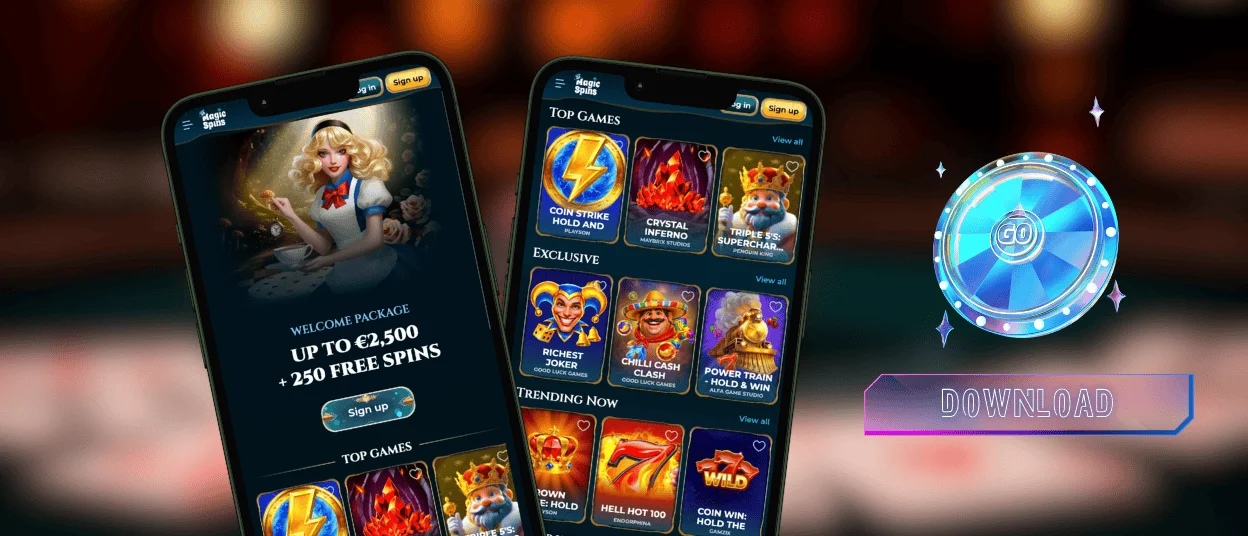
Magicspins Casino works on mobile as a PWA (Progressive Web App). There is no need to go to the App Store or Play Market. Here you can play the same online slots as in the desktop version. All the account tools are available in the application. Also, you can get any bonuses that are available on the platform.
The Magicspins app is located on your home screen. One tap and you’re transported to a real casino to get the full gaming experience. It’s faster than opening a browser and searching for the right website. The interface shifts to fit your screen and works with touch. You can get notifications from our app and stay up to date with everything that’s going on in your Magic Spins account.
Desktops are different: bigger screens, more room for game interfaces and live casino streams. If you’re settling in for a long session at Magic Spins Casino, that’s when you need a desktop. Mobile is better for convenience on the go.
The same account works on any device. All your progress is tied to your account, so you can switch devices and stay where you left off. You also don’t have to update anything, everything has already been updated as soon as you opened the platform. The verification process is also available in the Magic Spins app.
| Feature | Magicspins Mobile App | Desktop Version |
| Availability | Use from any location with internet access | Best suited for home use |
| Updates | Applied automatically in the background | Website updates load automatically |
| Interface | Optimized for touch controls | Optimized for mouse and keyboard |
| Screen Layout | Adapted for smartphones and tablets | More space for game information |
| Notifications | Supports push notifications | Browser notifications depend on settings |
| Live Casino Experience | Optimized mobile streaming | Larger display for live tables |
| Device Resources | Lightweight and requires minimal storage | Uses browser resources only |
| Best For | Flexible access and shorter sessions | Extended gameplay and multitasking |
Mobile Interface Overview
The Magicspins mobile interface is the same platform, just reshaped for your screen. On any phone or tablet, the layout shifts to fit and nothing gets lost in translation. Navigation stays clear and controls respond to touch without lag. Here you can find any game you want within seconds.
Your Magicspins Casino account is synchronized on all devices. Making payments and getting promotions works the same way. All features remain easy to find, so you can navigate the platform without confusion.
How to Use Magicspins on Android
Our mobile application works on Android as a Progressive Web App (PWA). The Magic Spins Casino method eliminates the need to download or search app stores. All you need to do is go to the Magicspins website on your mobile browser and add it to your home screen.
Our PWA plays nice with any modern browser on Android on any device. As long as your browser works, you’re good to go. The interface adjusts to your screen size and stays stable without draining your battery or taking up storage.
You’ll get notifications about account updates and platform news. Updates happen in the background, so you never have to manually install a new version. Open the Magic Spins app, and you’re always on the latest.
Magicspins APK – Installation Guide and Security Notes
Magicspins doesn’t need APK downloads or Google Play. Just add it straight from your browser. It saves storage and puts a shortcut on your home screen.
How to install on Android:
- To begin with, you should open the Magic Spins website.
- Then, you need to tap the browser menu.
- After that, select “Add to Home Screen” and confirm.
The icon shows up on your home screen. You can just tap it and play your favorite games. The PWA uses secure connections, as all the Magic Spins Casino security measures work here.

Magicspins on iPhone and iPad
Our iOS solution works on iPhone and iPad with a PWA in Safari. No App Store download is needed. You can also add it to the home screen. It then works like a regular app. The interface adjusts to iPhone and iPad screens. The Magicspins app works the same on all devices. The platform works well on Safari and is optimized for iPhone and iPad devices.
Push notifications keep you informed about important platform updates, so you don’t have to check the site yourself. The PWA updates automatically in the background to keep you using the latest version without downloading anything manually.
Magicspins on Desktop
The platform works on desktop through any modern browser. We support Windows, macOS, and Linux. No download is required. Magicspins Casino opens directly in Chrome, Safari, Edge, or Firefox. In addition, users can build a desktop shortcut for faster access and open the platform with one button click.
And now, with the desktop version optimized for bigger screens, you can enjoy longer gaming sessions in comfort. It improves navigation and game visibility. It is useful for longer sessions.
Key desktop benefits:
- Bigger screen – clear layout
- Mouse and keyboard – precision control
- Multitasking – keep a tournament tab open while checking email
- Stable performance – desktop doesn’t overheat
Magic Spins keeps all features in one place. The platform is optimized for Windows and macOS screens. It adjusts to resolution and scale automatically. Graphics load in high quality for all the games. Users can launch Magicspins in one click from the desktop shortcut.
Security Benefits of Playing Magicspins via PWA
Our Progressive Web App runs through a secure browser connection. All data is protected with encrypted HTTPS traffic. It keeps your personal and financial info locked down, and since it’s a PWA, you avoid all the unreliable download risks that come with traditional apps. No installation means no malicious files on your phone. Browser updates keep things current and safe.
We handle logins through a secure, protected session, so your account stays locked down while you’re playing at Magicspins Casino. The result is a safer environment across all supported devices.

Sync Your Magicspins Account Across Devices
Our platform keeps your account fully synced across all devices. You can switch between desktop and mobile without losing progress at Magic Spins.
Your balance and account settings stay updated in real time. Also, we save your game history and bonuses. Your account holds everything. So update something on your phone, and it shows up on your desktop before you even switch tabs. Users can also complete the verification process in the Magic Spins app.
This setup lets you easily switch devices. You can start a session on a computer and continue later on a mobile device.
All data is managed through a single account system. It keeps the experience consistent and easy to control from any device.
FAQ
Does Magicspins work on older Android phones?
Yes. Magic Spins works on older Android phones, provided your device has a reliable internet connection and a supported browser. The mobile casino is a light-weight PWA and does not need hardware or the Magicspins app installation. Performance depends on Internet speed, not phone model.
Can I claim bonuses through the Magicspins mobile app?
Yes. You can claim any bonus offer in the Magicspins app. All available bonuses are here. This includes promotions and account offers. Users can activate bonuses from their account section in the app just like in the browser. Everything is connected to the same account. If you have any questions, you can contact our support team via live chat or email.
Can I play Magicspins games offline?
It’s an online platform, so it doesn’t work without internet. Everything runs from our servers, so a stable connection isn’t optional, it’s required. Before you open Magicspins app , make sure you’re on decent Wi-Fi or have stable mobile data. A weak signal can cause lag or drop you mid-round.


